
Google Ads for Small Business: A Setup Guide for Service Companies
 By Michael Preston · · 9 min read
- Start with one Search campaign, one service area and one ad group per service. Wait on Performance Max.
- Use phrase and exact match, a real negative keyword list, and target people in your area, not just interested in it.
- Track real leads: calls with a minimum length, form submits and booked jobs from your CRM.
The simplest Google Ads setup for a small service business is one Search campaign, aimed at your real service area, with one ad group per service and tracking that counts real leads. Before you launch, take the free funnel audit, because ads only work as well as the page and the follow-up behind them. The tools I use page covers the call tracking and CRM side.
Find Out Where Your Marketing Is Losing Money
12 quick questions. The same 5-Point Funnel Audit I run before I start work on a client's ad account.
This guide walks through each setting in order. It is written for owners and small teams, not for people managing huge accounts.
Is Google Ads right for you yet?
Google Ads works best when people search for what you do in your area. Check that first. Type your main service and your city into Google and see whether ads show up. If competitors are advertising, there is usually search demand.
You also need a few basics in place: someone who answers the phone during ad hours, a landing page for the service, and a way to track calls and forms. If those are missing, fix them first. Not sure Google is the right first platform? Read Google Ads vs Facebook Ads.
Last, set expectations. The first few weeks are for learning which searches bring real calls. Plan to adjust keywords, negatives and ads as data comes in, rather than judging the whole channel on the first week.
Pick the campaign type
Search
Start here. Search campaigns show text ads when people search for your keywords. You can see the exact searches that triggered your ads and block the ones you do not want. For a local service business, that control matters.
Performance Max (when to wait)
Performance Max runs across Search, YouTube, Maps, Gmail and more, and Google decides where your ads show. It needs good conversion data to work well. With a new account and no tracking history, it can spend on placements that bring few real leads. Wait until your Search campaign has steady, accurate conversions.
Local Services Ads
If your category is eligible, Local Services Ads are worth a look. They charge per lead instead of per click and show your Google listing. They are set up separately from your Google Ads campaigns. Read Local Services Ads vs Google Ads for how they compare.
Keywords and match types for local services
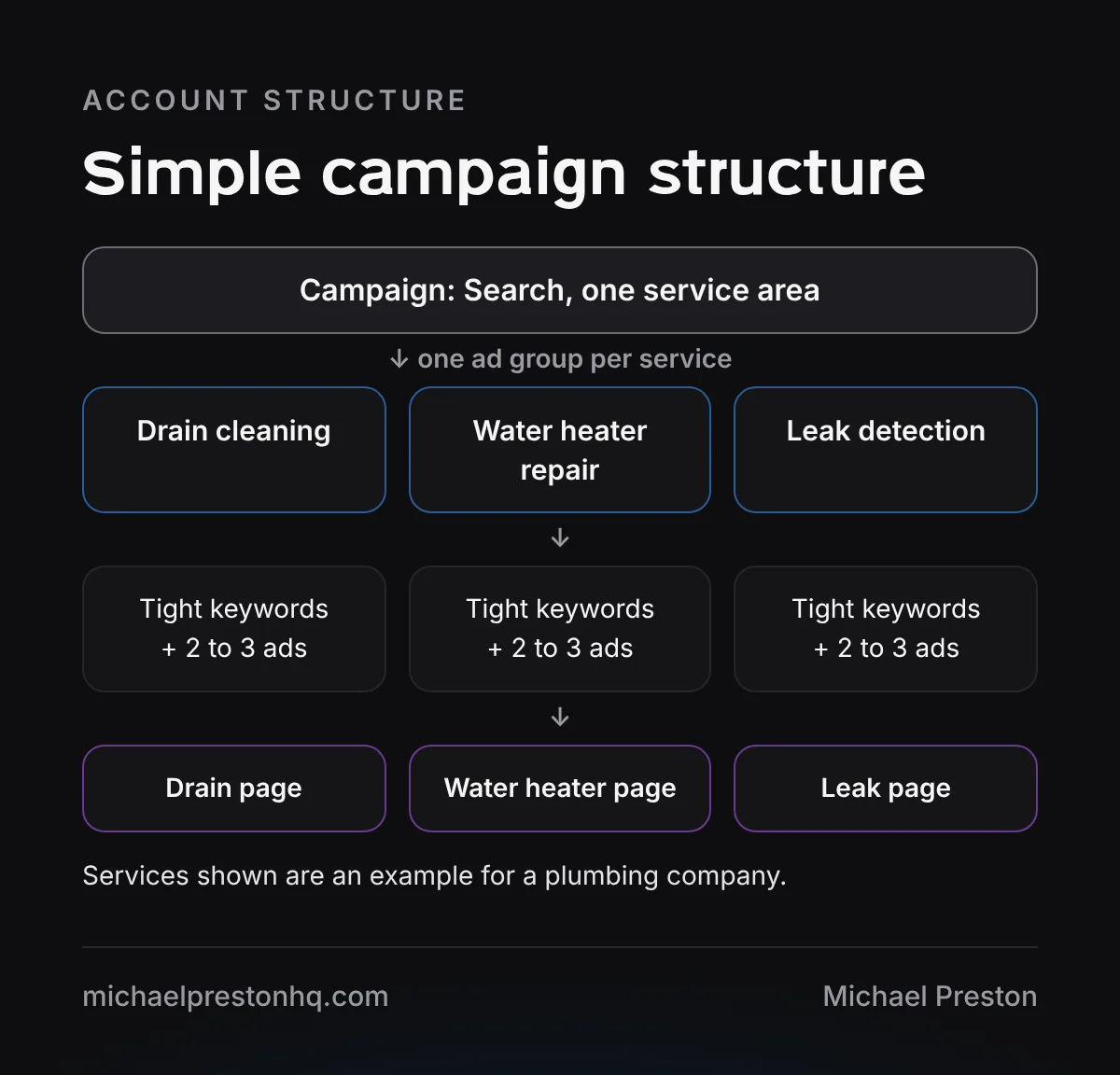
Build one ad group per service. A plumber might have drain cleaning, water heater repair and leak detection. Each ad group gets a handful of close keywords and ads that mention that exact service.
Match types control how closely a search has to match your keyword:
- Exact match shows for searches with the same meaning as your keyword. Most control.
- Phrase match shows for searches that include the meaning of your keyword. A good middle ground.
- Broad match shows for related searches. It reaches more people but needs good tracking and a strong negative list.
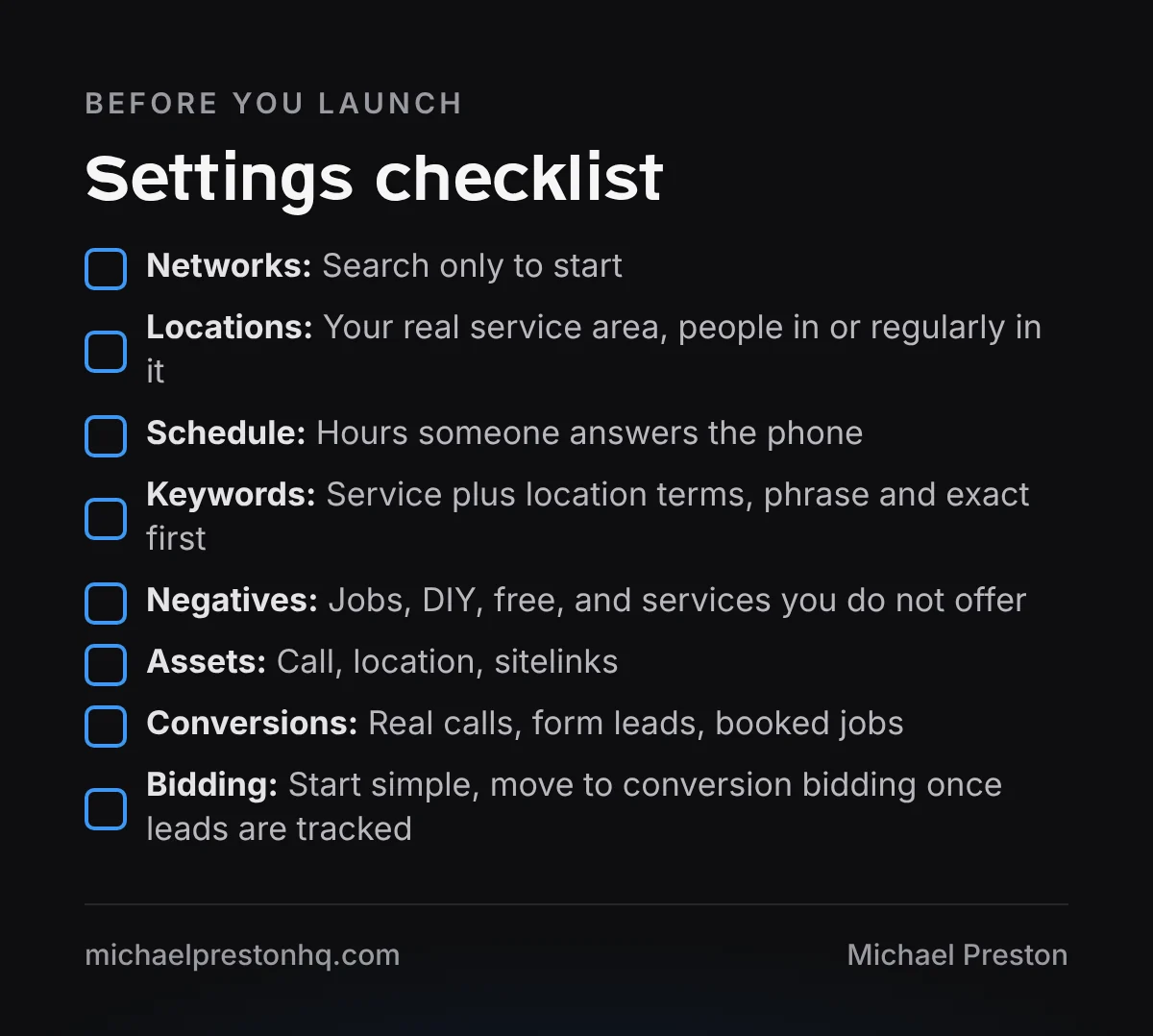
For a new local account, start with phrase and exact match. Add negative keywords from day one: jobs, careers, DIY, free, how to, and any services you do not offer. Then check the search terms report every week and keep adding negatives.
Location and schedule settings
Set your locations to the area you actually serve. You can use a radius, cities or ZIP codes. Be honest about where you want to drive.
In the location options, choose to show ads to people in or regularly in your targeted locations. The other option includes people who are only interested in your area, which can bring in searches from far away.
Set an ad schedule for the hours someone answers the phone. A missed call from a paid click is wasted spend. If you run ads after hours, make sure calls go to someone or to a clear voicemail and a fast callback.
Conversion tracking that counts real leads
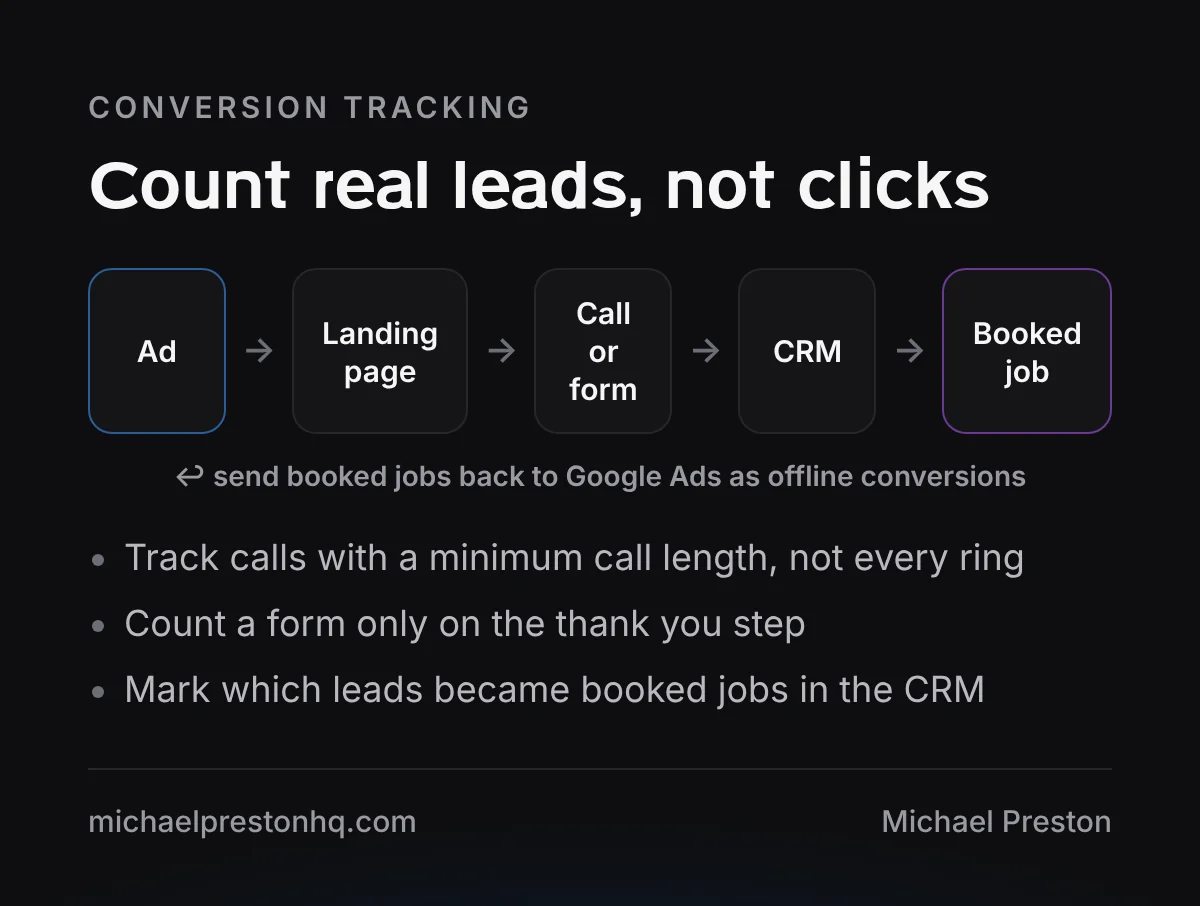
This is the step most small accounts get wrong. If Google counts page views or button clicks as conversions, it will optimize for the wrong thing. Count only actions that are real leads:
- Calls from ads and calls from your website, with a minimum call length so short hang ups do not count.
- Form submits, counted on the thank you step, not when someone opens the form.
- Booked jobs, marked in your CRM and sent back to Google Ads as offline conversions when you are ready.
Call tracking numbers on your landing page let you see which calls came from ads. If you are comparing ways to track calls and manage leads, see my comparison of CallRail vs GoHighLevel.
Landing page basics
Send each ad group to a page about that service, not your home page. The page should match the ad, show your phone number at the top, have a short form and explain what happens next. Add real reviews and the areas you serve.
Make sure it loads fast on a phone, since most local searches happen there. The funnel audit checks the page and the follow-up behind it.
Writing ads that get the right calls
Your ads should help the right people click and the wrong people skip. Say what you do, where you do it and why someone should pick you. Use the words customers use, not industry terms.
Match the ad to the search. Someone searching for an emergency repair wants to know you can come today. Someone searching for an install wants to know you do that work in their area. One general ad for every search usually performs worse than a few focused ones.
Add assets: call assets with your tracked number, location if you have a storefront, and sitelinks to your main service pages. They make the ad bigger and give people more ways to reach you.
What to check every week
Google Ads is not set and forget, but it does not need hours either. A short weekly check keeps a small account healthy:
- Search terms report. Add negatives for anything that is not a real customer search.
- Calls and forms. Compare what Google counted with what actually came in.
- Booked jobs. Mark which leads booked, and note which services they were for.
- Budget pacing. Make sure campaigns are not running out of budget early in the day.
- Ads and assets. Check that ads are approved and call assets show your current number.
Make changes slowly. Change one thing at a time and give it a week or two before you judge it. Big changes every few days make it hard to tell what worked.
Once a month, look at the bigger picture: which services bring booked jobs, which areas bring the best customers, and whether your landing pages need updates.
Common setup mistakes
- Leaving Display or search partners on by default when you meant to run Search only.
- Targeting people interested in your area instead of people in it.
- Counting page views or clicks as conversions.
- One ad group with every service mixed together.
- Never checking the search terms report.
- Running ads when nobody can answer the phone.
Copper Creek Plumbing (a made-up business) launches one Search campaign with three ad groups, phrase and exact match, and a negative list. It tracks calls over a minimum length and form submits, and checks search terms every Monday.
This is one of the topics in my paid ads and funnels talk. If you want a second set of eyes on your setup, send me a note.